Concept
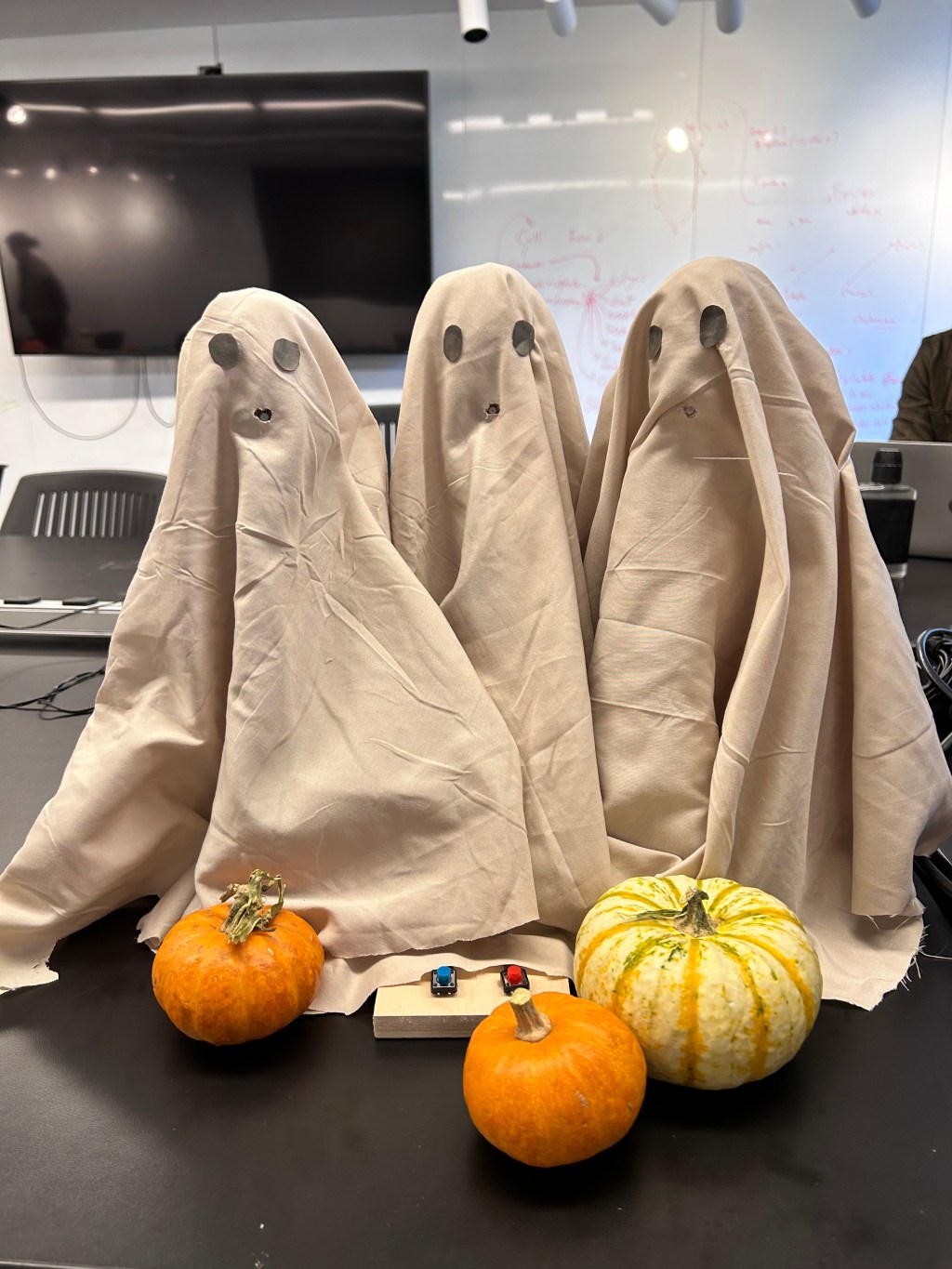
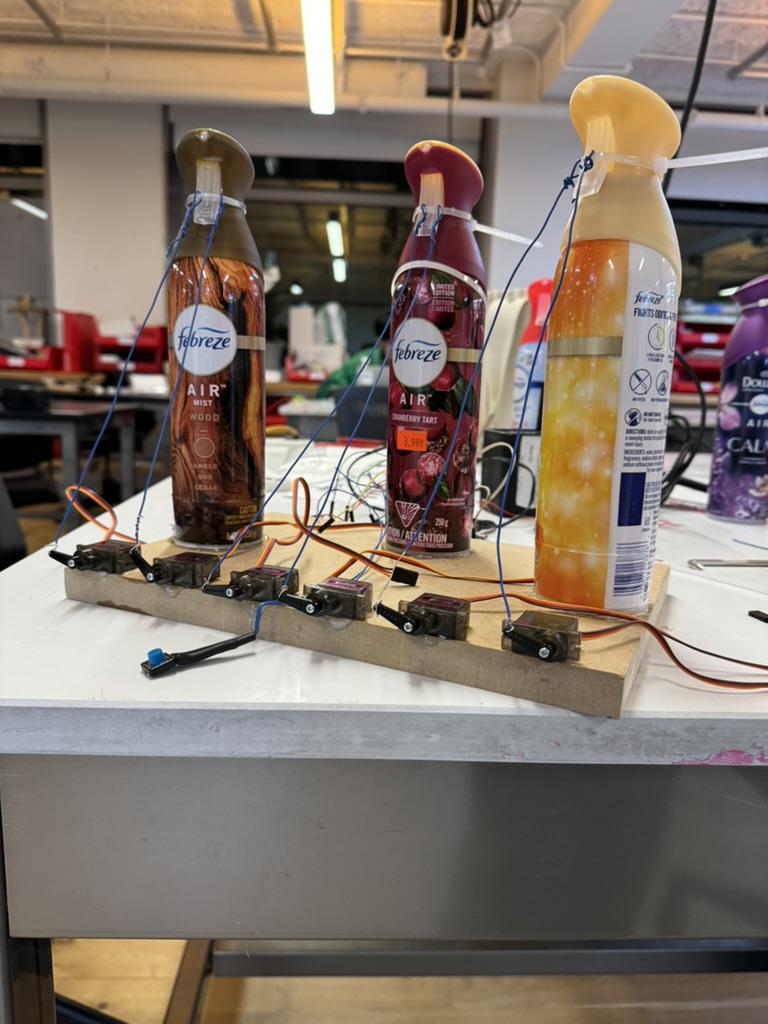
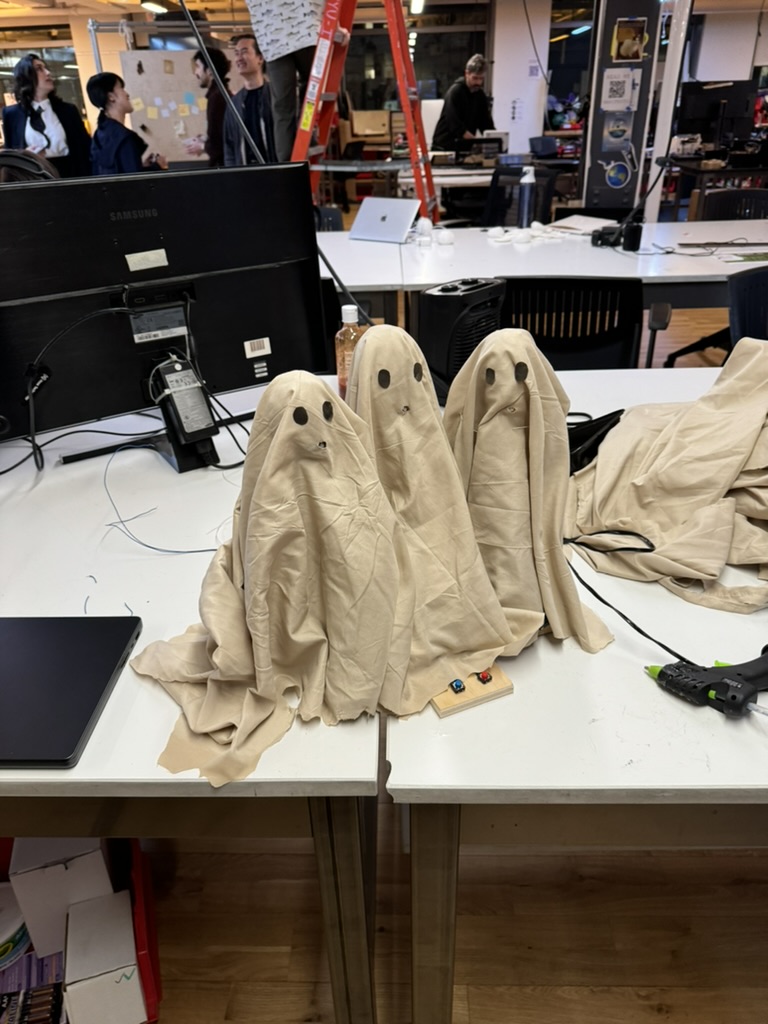
A Halloween themed prank toy that uses servo motors to pull cable ties down on a Febreze bottle’s trigger at the press of a button.
There are two modes for our interactive Ghost Cough piece: one, a gambling mode where a user may or may not get sprayed; two, a sampling mode where a user can experience a scene one-by-one.
First, the Red Button mode. If a user presses the red button, there is a chance (set by code) that a user will get sprayed or will not get sprayed. This is a concept akin to a slot machine (as noted by our professor, Jeff Feddersen; I conceptualized from the Mario Party minigame, Bowser’s Big Blast).
The Red Button mode also could feature as a prank, where someone presses the button and nothing happens. This makes the user continue to press the button and eventually get sprayed.
However, based on feedback from our professor and our class, our design could be improved by including constant visual feedback. This could take the form of LED lights (either in the ghost’s eyes or outside of the ghost) that light up when the button is pressed. The LED lights could flash green if a user avoids the spray or light up red when unfortunately sprayed. This would be a simple but very effective improvement.
Secondly, our Blue Button mode is a sampling and testing feature. If a user presses the blue button, the machine will trigger one spray at a time and cycle through the sprays. I thought of this mainly as a way to test that our sprays and servos were working together, but I also thought it was nicer on the user if they could see what kind of spraying they might receive. For our class, we used nice-smelling Febrezes, but other individuals might use nastier smells. In the future, the blue button would be more hidden so that the slot machine spray experience would be heightened.
Also, I wanted to include a third more where I could program a sequential experience of the sprays. I wanted to set the sprays to music and evoke something visceral while a user listened. How much could a smell help people remember moments that are also attached to certain songs? Can you plays smells like you can musical notes? What’s the best design for an instrument based on smell? Ultimately, I could not figure out how to code the sequential experience and did not have enough time. I saved that mode for last because it was the least essential. However, a “smelling symphony” is a potential avenue to explore more in later projects.
Coding Process
At first, I underestimated the difficulty of the code. Coding the servos to pull on a button press was easy enough. I told the Arduino which buttons were which and if the buttons were pressed, the servos did a 180 rotation that would pull the spray trigger.
//sample press
if (blueBtn == HIGH) {
    bluePresses++;
    //every third press, sample the last spray
    if (bluePresses % 3 == 0) {
      servoMotor.write(180);
      delay(1000);
      servoMotor.write(0);
    }
    //every second press (3-1), sample second spray
    else if ((greenPresses+1) % 3 == 0){
       servoMotorTwo.write(180);
       delay(1000);

       servoMotorTwo.write(0);
    }
    //every first press, sample the first spray
    else {
      servoMotorThree.write(180);
       delay(1000);

       servoMotorThree.write(0);
    }
  }
What proved to be difficult was the “gambling” mechanic. First, I generated a random number based on how many players there were. Based on the size of the player pool, the code would generate a random number (say between 1 and 14). Then, for each button press, a user would generate a different random number. If that matched with the first one, the sprays would all trigger. If not, the game went on.
This design proved to be flawed because of Arudino’s loop() function. The loop() function iterates so quickly in the Arduino IDE that random numbers generates quickly enough that all random guesses occur in an instant. This led to the spray being triggered every time I pressed the button.
To solve this, I eventually figured out that I needed to think more time-based. I still had the first random number generate, but I had the user’s other random number change every 5 seconds. This way, the time elapsed would simulate someone stepping up to the button and pressing the button, effectively constituting the user’s guessing experience. This worked well.
Final Code

//the green button is really the blue button in our final product. we did not wire the right colored button but I didn't want to change the code that late. Oops lol

#include "Servo.h" //read Servo library

Servo servoMotor; // instance of servo object to control servo
Servo servoMotorTwo;
Servo servoMotorThree;


//for red button gambling section
long players = 4; //counter for random number spray game
long allSpray;
long chance;

//for green button sampling section
int greenPresses;

// //for blue button symphony section
// int bluePress;

//const int blueButton = 2;
const int greenButton = 3;
const int redButton = 4;

 const int servoPin = 5;  //control pin for servo - spray 1
 const int secondServoPin = 6;  //control pin for servo - spray 2
 const int thirdServoPin = 7;  //control pin for servo - spray 3

//int blueBtnPrev;
int blueBtn;
int greenBtn;
int redBtn;

// int blueBtnState;
// int greenBtnState;
// int redBtnState;

// int lastBlueBtnState = LOW;
// int lastGreenBtnState = LOW;
// int lastRedBtnState = LOW;

// unsigned long lastDebounceTime = 0;  // the last time the output pin was toggled
// unsigned long debounceDelay = 50;    // the debounce time; increase if the output flickers


void setup() {
  // put your setup code here, to run once:
Serial.begin(9600);
servoMotor.attach(servoPin); //attach input pin to servo object
servoMotorTwo.attach(secondServoPin);
servoMotorThree.attach(thirdServoPin);
// servoMotorFour.attach(fourthServoPin);
// servoMotorFive.attach(fifthServoPin);
// servoMotorSix.attach(sixthServoPin);


pinMode(blueButton, INPUT);
pinMode(greenButton, INPUT);
pinMode(redButton, INPUT);


greenPresses = 0;
bluePress = 0;

allSpray = random(players);  //between 0 and 13; stays the same until matches
//chance = random(players); //changes with each guess


}

void loop() {


blueBtn = digitalRead(blueButton);
greenBtn = digitalRead(greenButton);
redBtn = digitalRead(redButton);

servoMotor.write(0);
servoMotorTwo.write(0);
servoMotorThree.write(0);


////////every 5 seconds, "guess" changes for players
if (millis() % 5000 == 0){
  chance = random(players);
    Serial.println("The current guess: ");
    Serial.println(chance);
    Serial.println("The actual number to match: ");
    Serial.println(allSpray);

}

///////gambling press

if (redBtn == HIGH) {


  if (chance == allSpray){

    //spray all - congratulations
     servoMotor.write(180);
     servoMotorTwo.write(180);
     servoMotorThree.write(180);

      delay(2000);

    //return to starting position
     servoMotor.write(0);
     servoMotorTwo.write(0);
     servoMotorThree.write(0);

     allSpray = random(players);  //between 0 and 13; change to new number since gotten


  }

}


//sample press
if (greenBtn == HIGH) {
    greenPresses++;
    //every third press, sample the last spray
    if (greenPresses % 3 == 0) {
      servoMotor.write(180);
      delay(1000);
      servoMotor.write(0);
    }
    //every second press (3-1), sample second spray
    else if ((greenPresses+1) % 3 == 0){
       servoMotorTwo.write(180);
       delay(1000);

       servoMotorTwo.write(0);
    }
    //every first press, sample the first spray
    else {
      servoMotorThree.write(180);
       delay(1000);

       servoMotorThree.write(0);
    }
  }


//smell symphony
if (blueBtn == HIGH){
  bluePress++; //sequence should start
  }

 if (bluePress > 0){
    servoMotor.write(180);
    delay(100);

    servoMotorThree.write(180);
    servoMotor.write(0);


    delay(100);

    servoMotorTwo.write(180);
    servoMotorThree.write(0);
    servoMotor.write(180);
    delay(2000);

    servoMotorTwo.write(0);
    servoMotor.write(0);

    delay(3000);
    servoMotorThree.write(180);
    servoMotorThree.write(0);


bluePress = 0; //end sequence
}
Fabrication Process
For our finished midterm, Runqi and I centered our mechanical ghosts on spraying Febreze. Previously, we had prototyped spraying water at users if they pressed a button at the wrong time. After trial and error, we realized that spraying Febreze produced a much more impressive visual effect with less effort than pulling spray bottle triggers. Also, the user experience is much more tolerable getting sprayed with Febreze than directly with water.
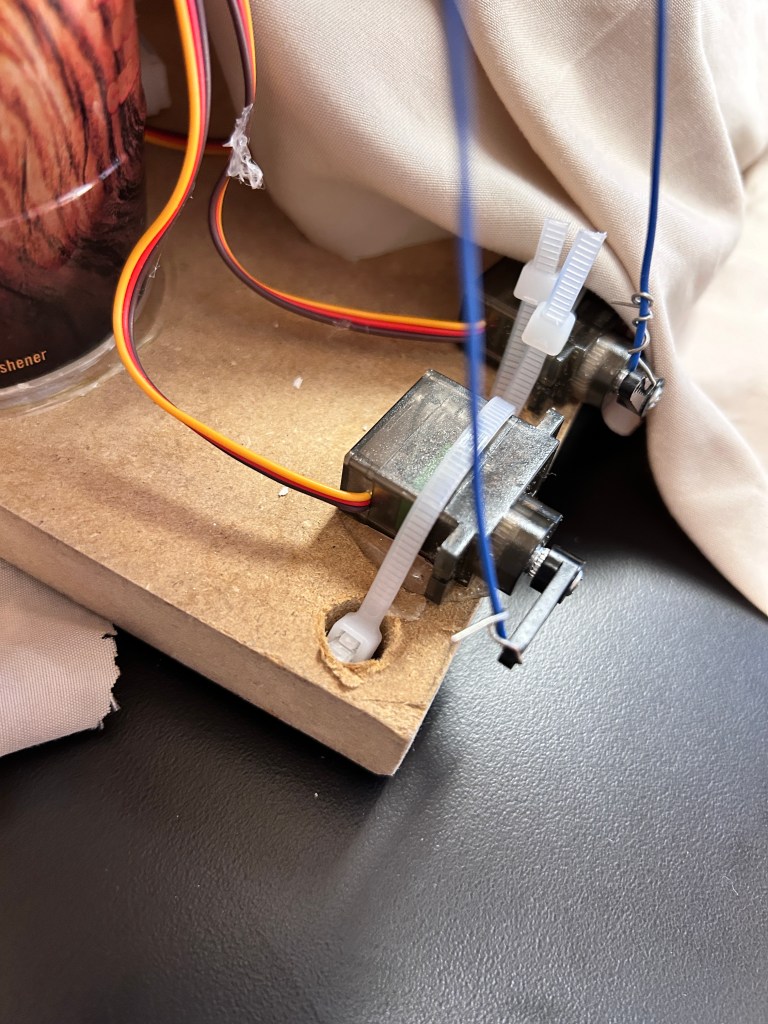
Then, to secure the bottles, Runqi found a thick MDF base in the Shop on the Floor. We used the drill press to drill holes so we could feed cable ties around the servos and tie them down. We tried using hot glue guns first but the glue did not hold well after several servo pulls.
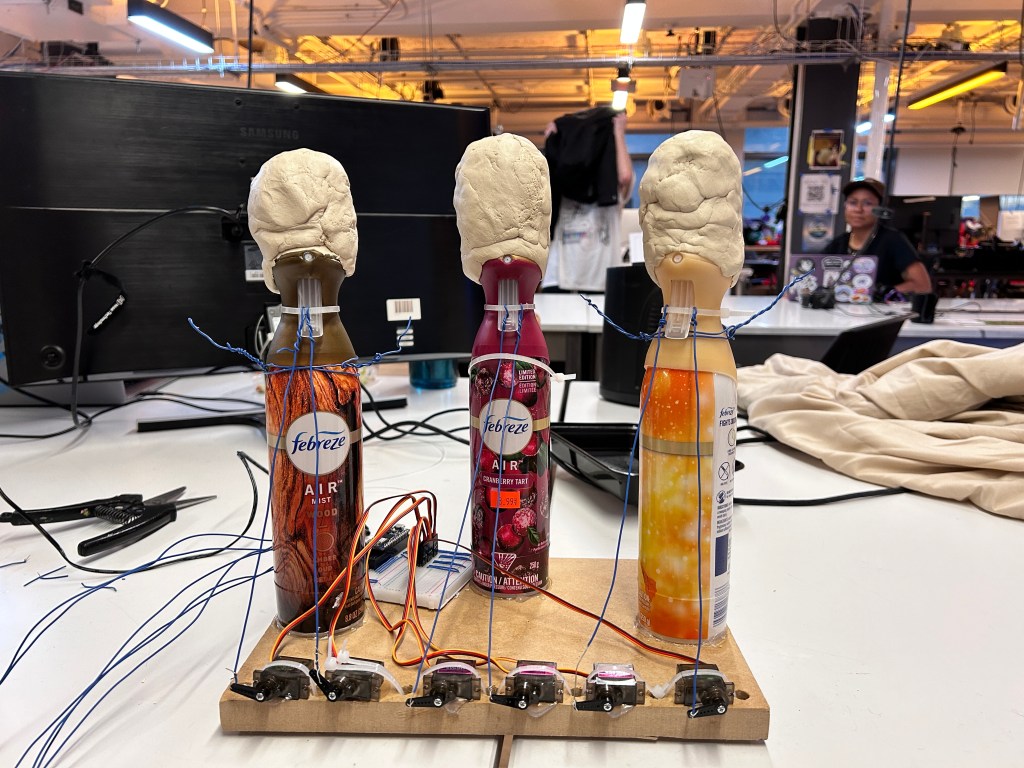
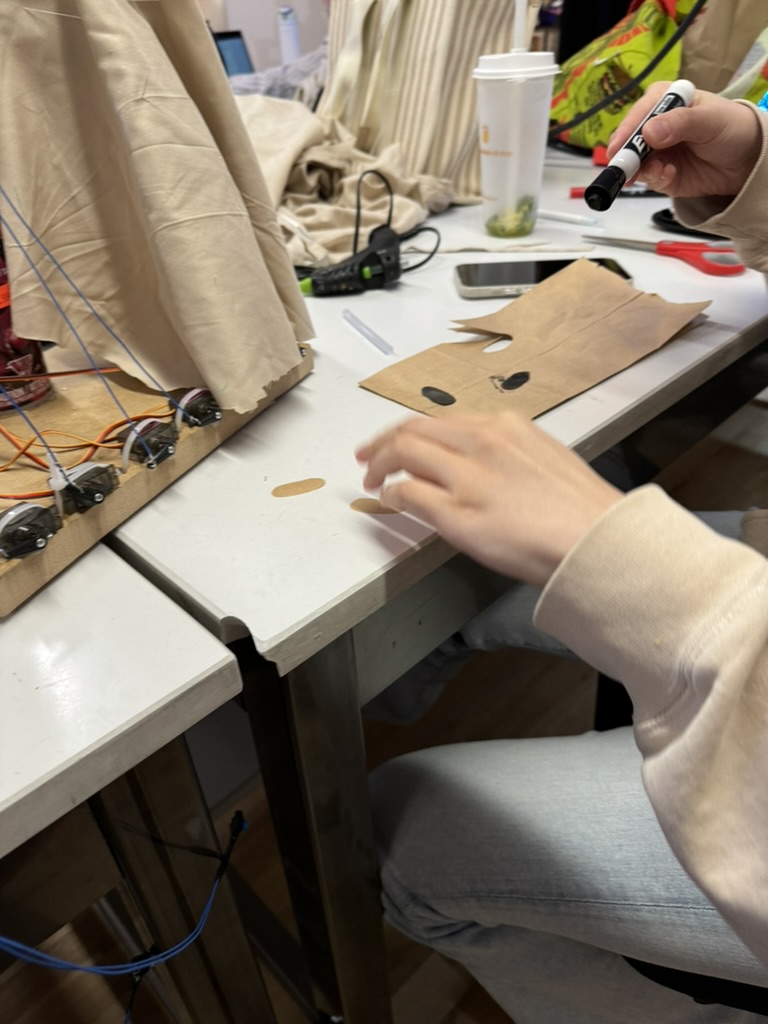
To achieve a ghost look, we needed to round the heads of our Febreze bottles more. Runqi came up with the idea to use clay and that worked very well. She also got the bedsheets and made the eyes using a brown paper bag and black marker. We made sure to cut a mouth hole for the ghosts so the spray could come out fully. Runqi glued the sheets to the bottle so that the mouth stayed in place over the nozzle.
Electrical Diagram
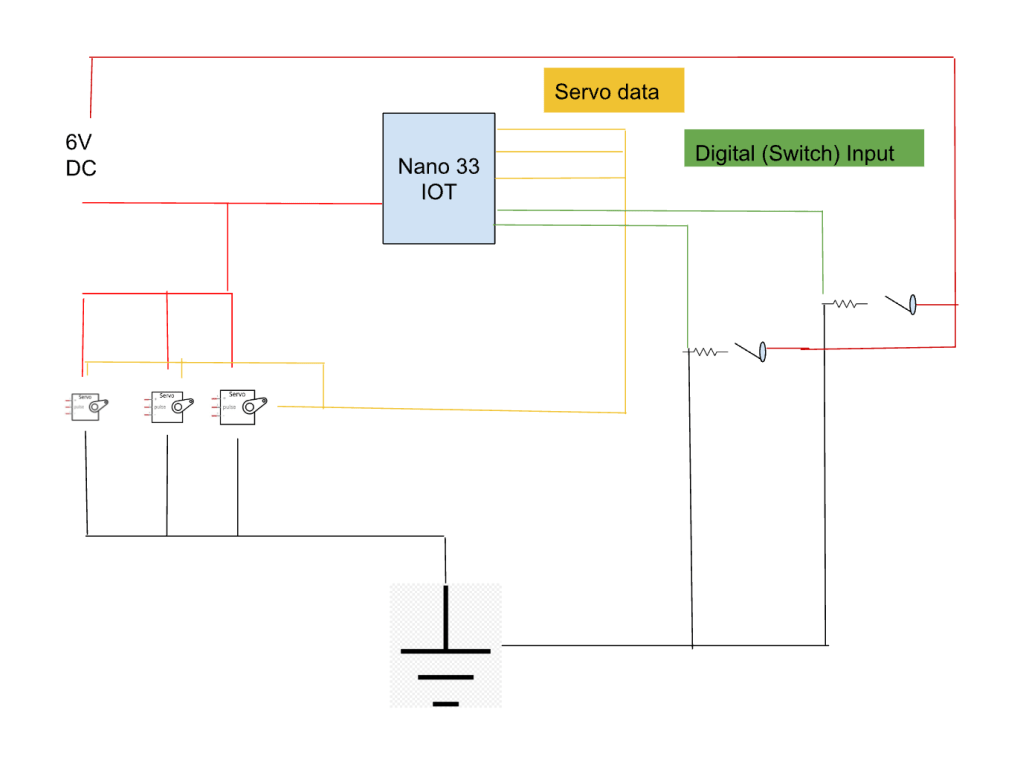
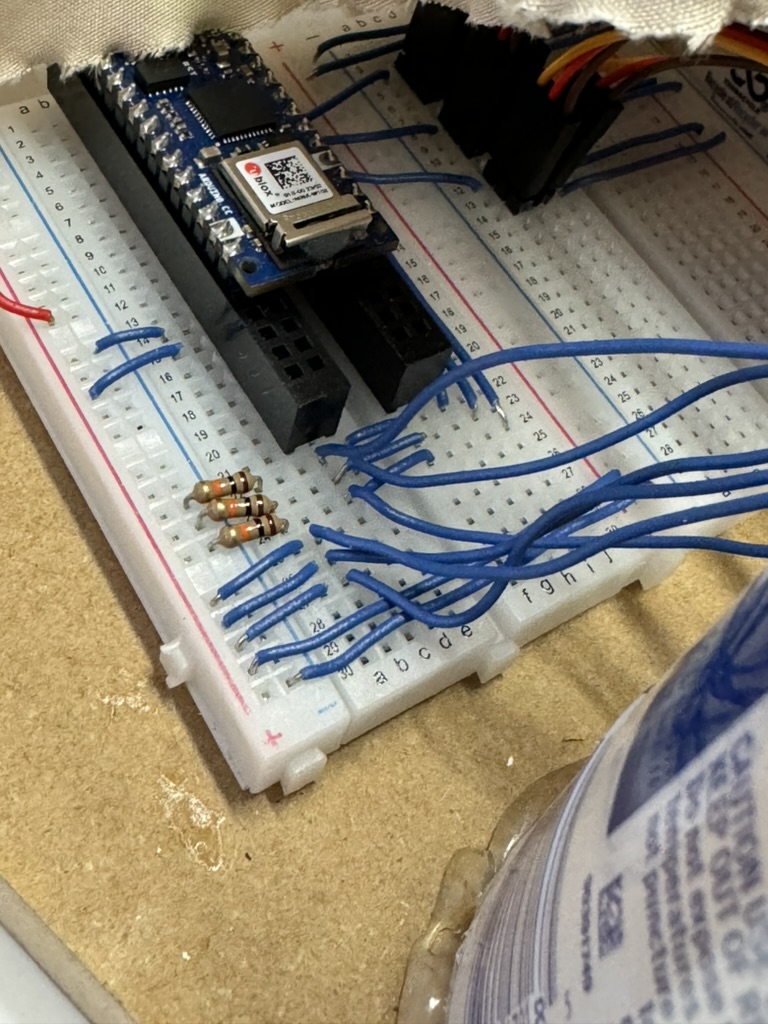
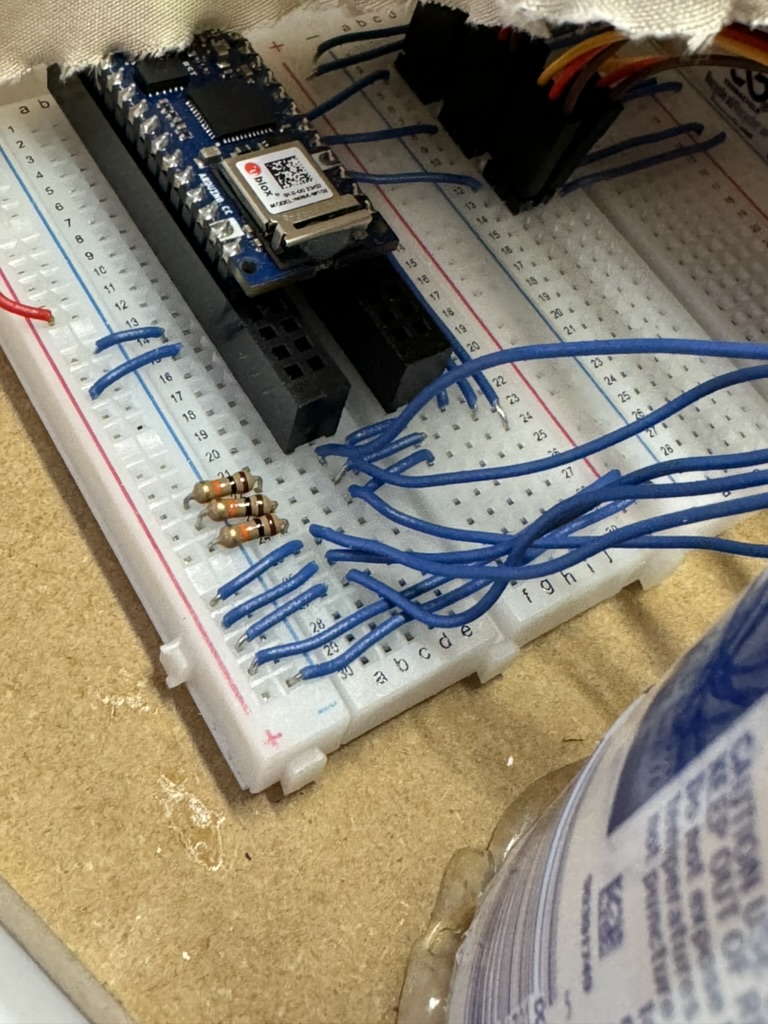
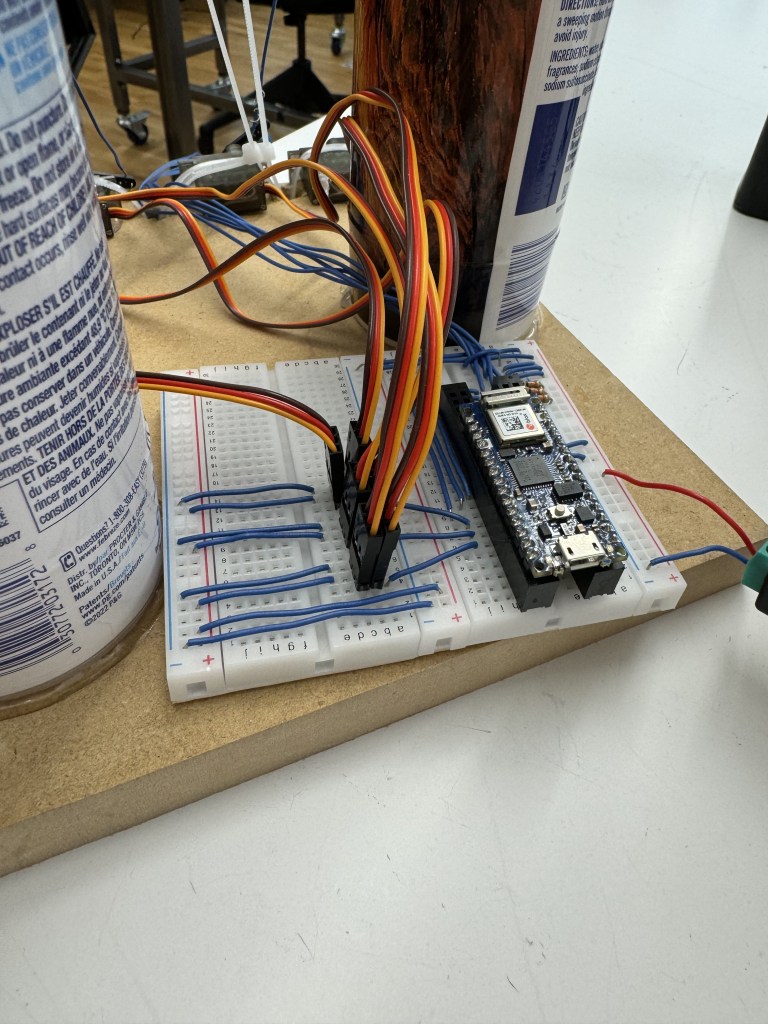
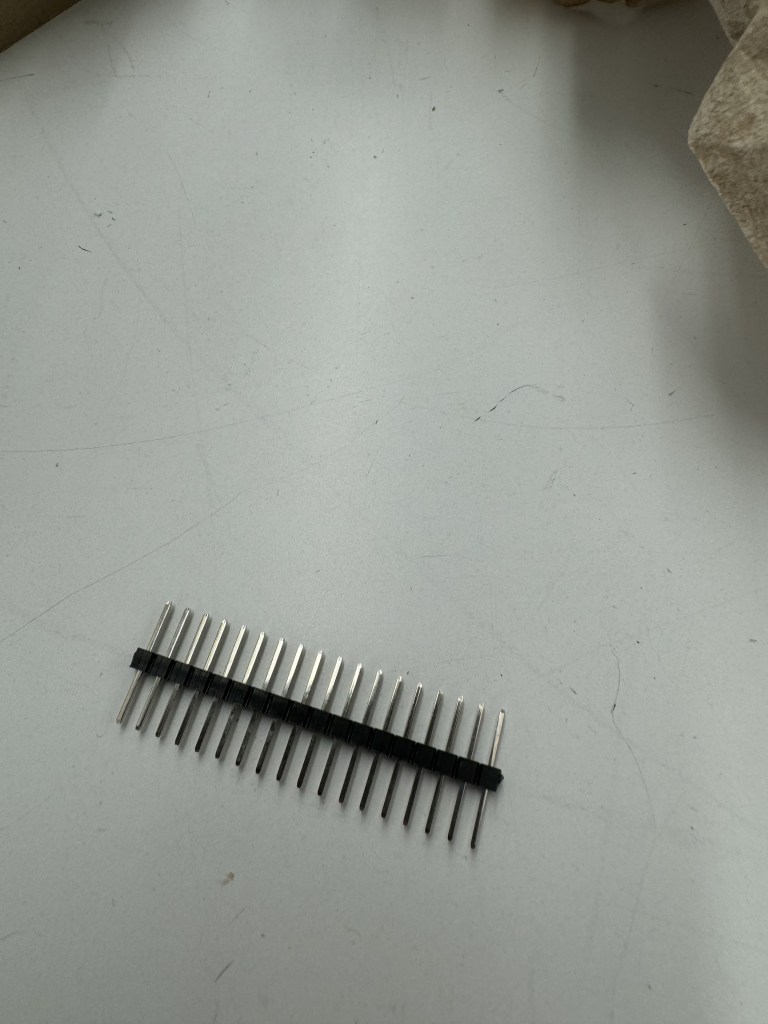
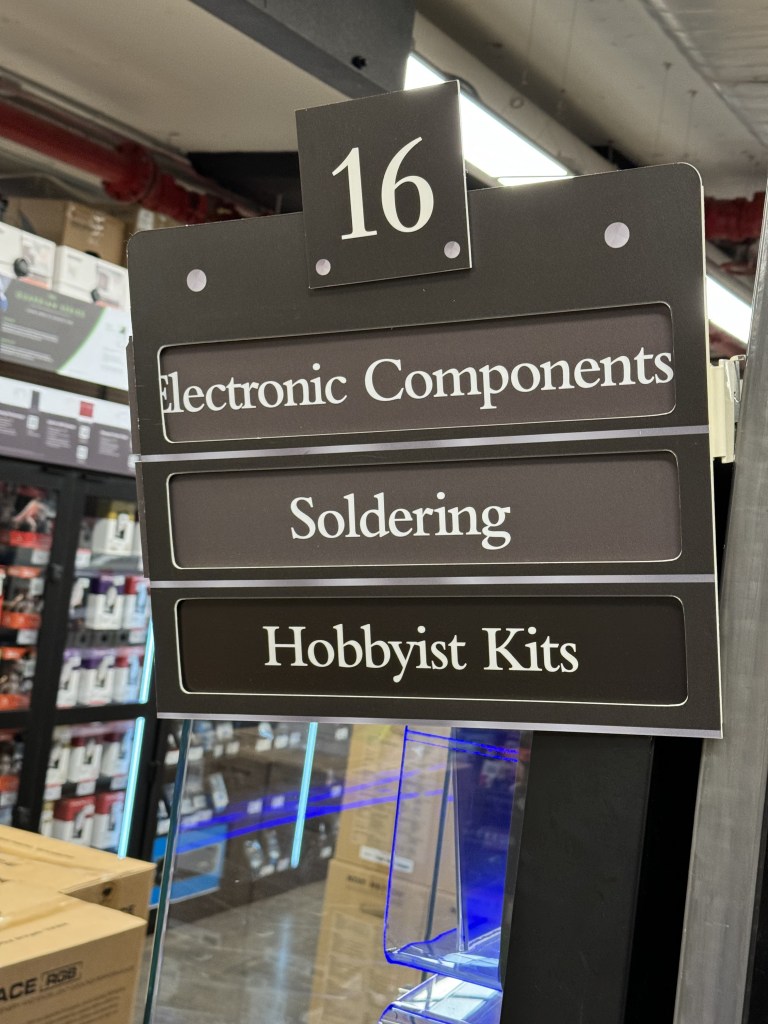
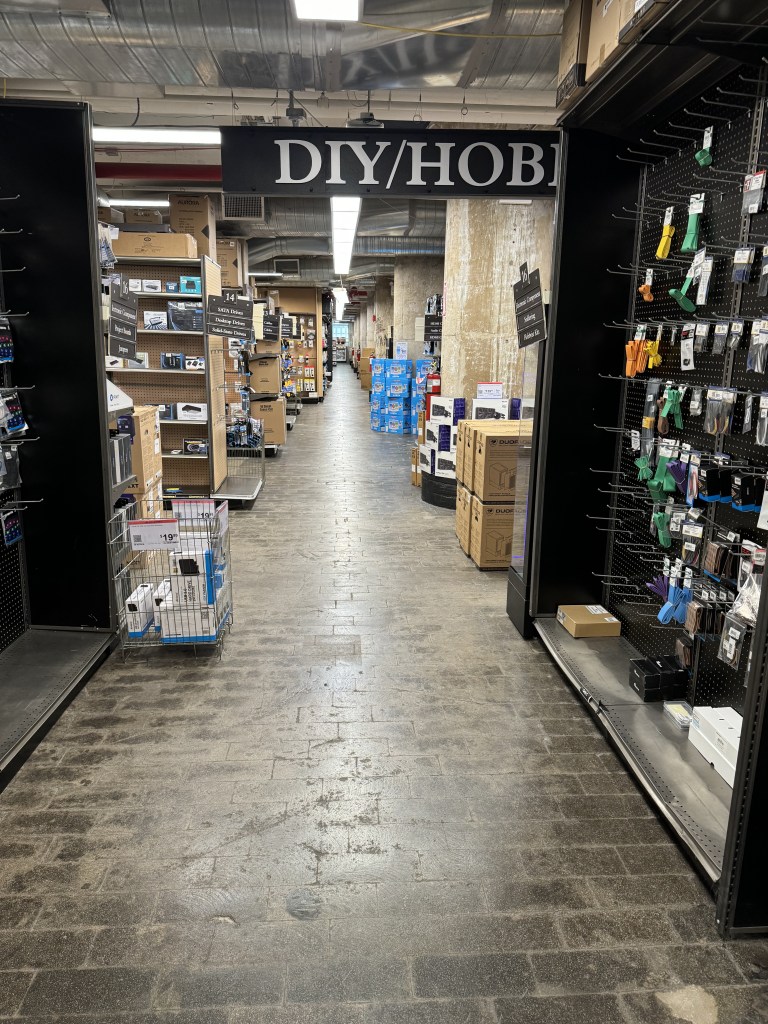
The wiring was straightforward. We used a DC power supply and hooked it to our breadboard. We did discover that multiple servos can be on one data pin simultaneously (multiple servos to one button press). This saved us a lot of space on our breadboard. However, I did have to go to Micro Center in Industry City, Brooklyn in order to get socket header pins long enough to stay secure in our board.
 Ryan Rotella
Leave a comment