What did we do:
—Created rough flow charts for hardware and software architecture
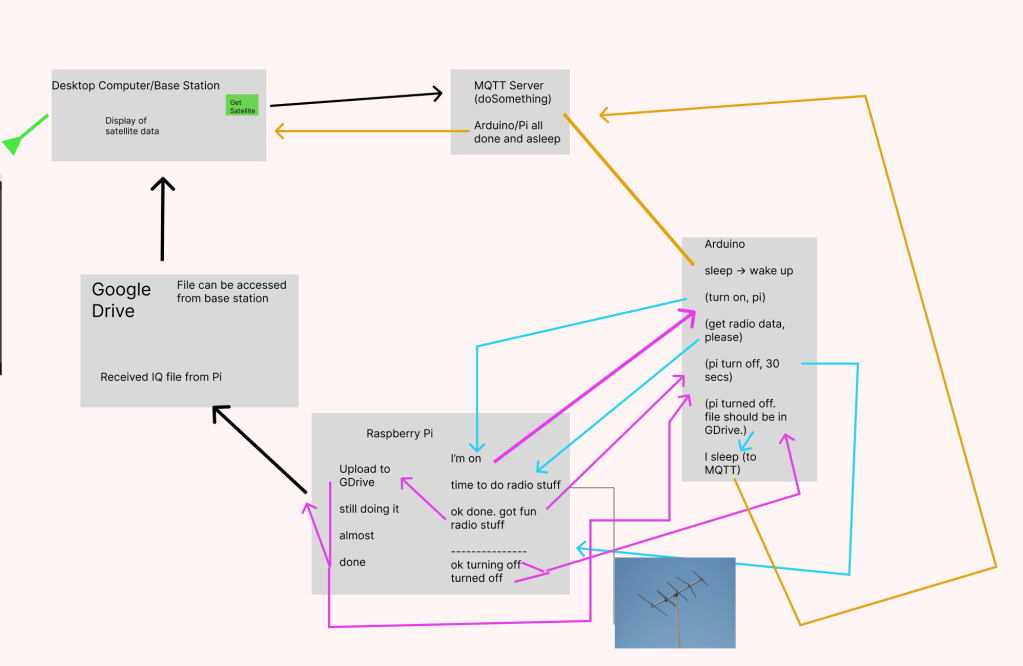
—Will successfully got the Arduino and Raspberry Pi talking via Serial Communication
—Integrated the WifiNina library with Nano 33 IOT, learned through Tom Igoe and ITP resources
—Learning MQTT – https://tigoe.github.io/mqtt-examples/
—Figuring out test server setup – maybe use https://www.shiftr.io/try/
—Have all ordered parts to build antenna and use power from solar panels to relay
- https://www.amazon.com/dp/B07MQ9BZCV?ref=ppx_yo2ov_dt_b_fed_asin_title
- https://www.amazon.com/dp/B09WCQKSW1?ref=ppx_yo2ov_dt_b_fed_asin_title
- https://www.amazon.com/dp/B01ICN5OAM?ref=ppx_yo2ov_dt_b_fed_asin_title
- https://www.amazon.com/dp/B07QLL2K1X?ref=ppx_yo2ov_dt_b_fed_asin_title
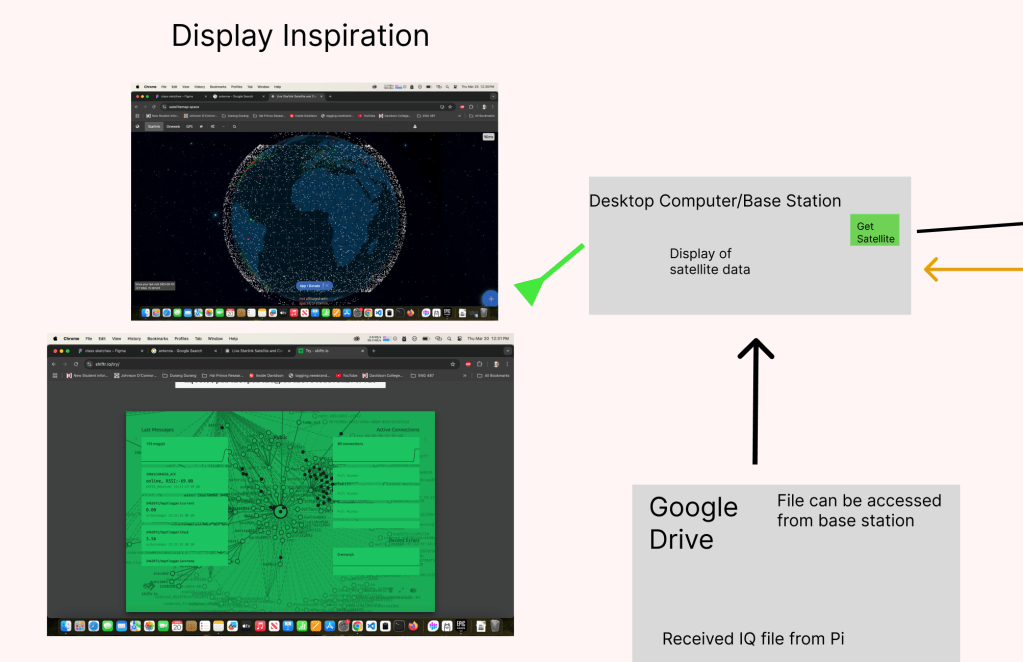
—Discovered inspiration for potential web layout of project from:
- https://satellitemap.space/ – track starlink and GPS satellites
- https://www.shiftr.io/try/ – visualization of live request data -> could convert into visualization of hourly satellite/radio data
- https://www.circuitbasics.com/working-with-compressed-files-on-a-raspberry-pi/#:~:text=The%20zip%20and%20unzip%20commands,The%20command%20is%20also%20straightforward. – zipping files on Raspberry Pi CLI
Next Steps:
—Finalize MQTT communication from server to Arduino
—Finalize Raspberry Pi and Google Drive link
https://medium.com/@artur.klauser/mounting-google-drive-on-raspberry-pi-dd15193d8138
—Assemble circuit from panels to Pi and Arduino
—Read Voltaic battery level via Arduino or Pi and send that data
—Install circuit at Brooklyn Navy Yard
 Ryan Rotella
Leave a comment