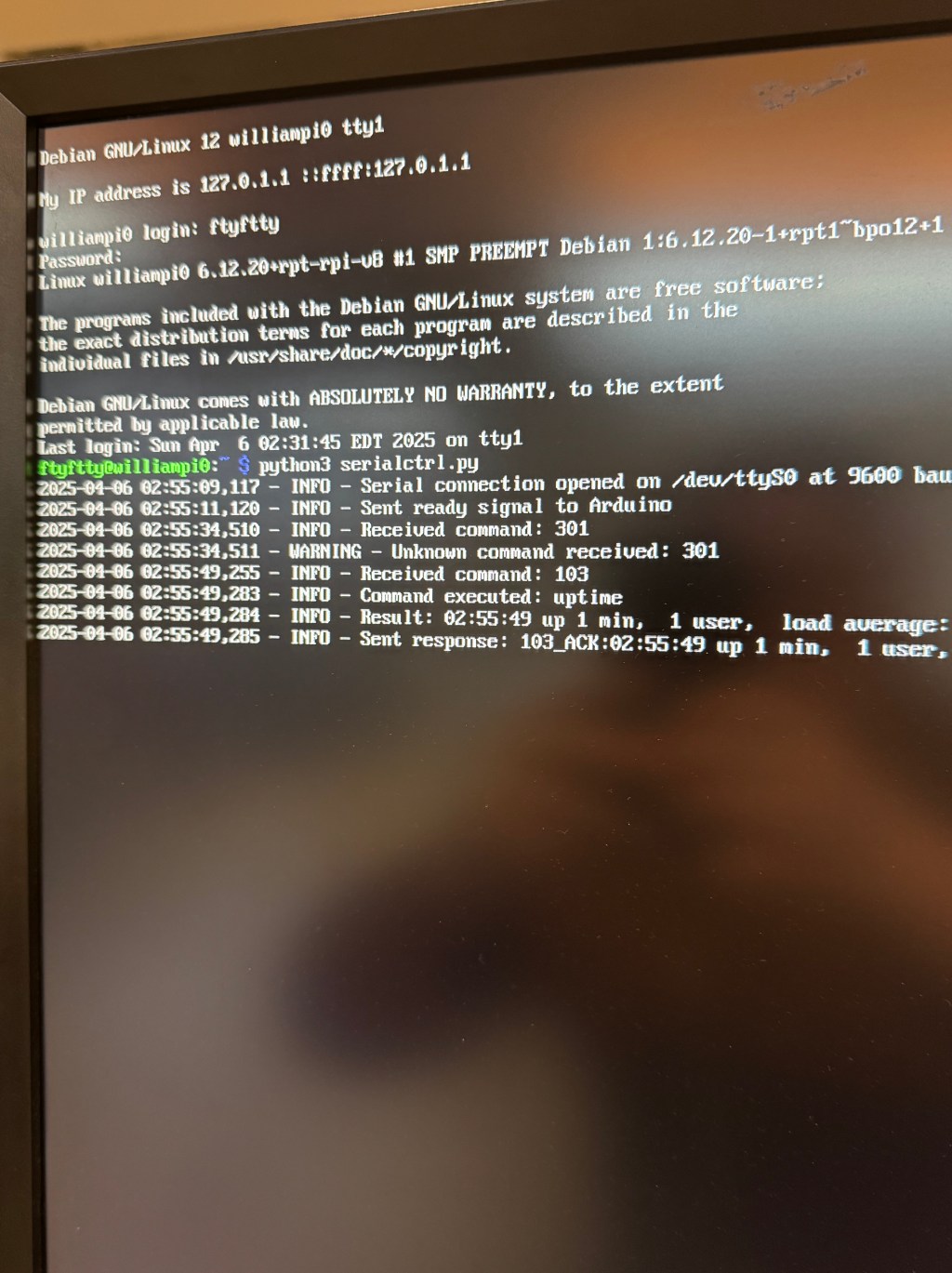
- Accomplished this past week
- Implemented USB-C circuit that can read voltage level of Voltaic battery
- Discovered issue with Arduino timing out was not battery related but meant that we needed to pay $7 for Shiftr
- Linked Google Drive to Raspberry Pi via Google Cloud Console and Pi CLI
- Developed python script for Pi to run on startup
- Figured out how to wire two solar panels in parallel together
- Discussed website design/experience
- Ordered parts for antenna after revising design
- Next Steps
Accomplished this past week
Implemented USB-C circuit that can read voltage level of Voltaic battery
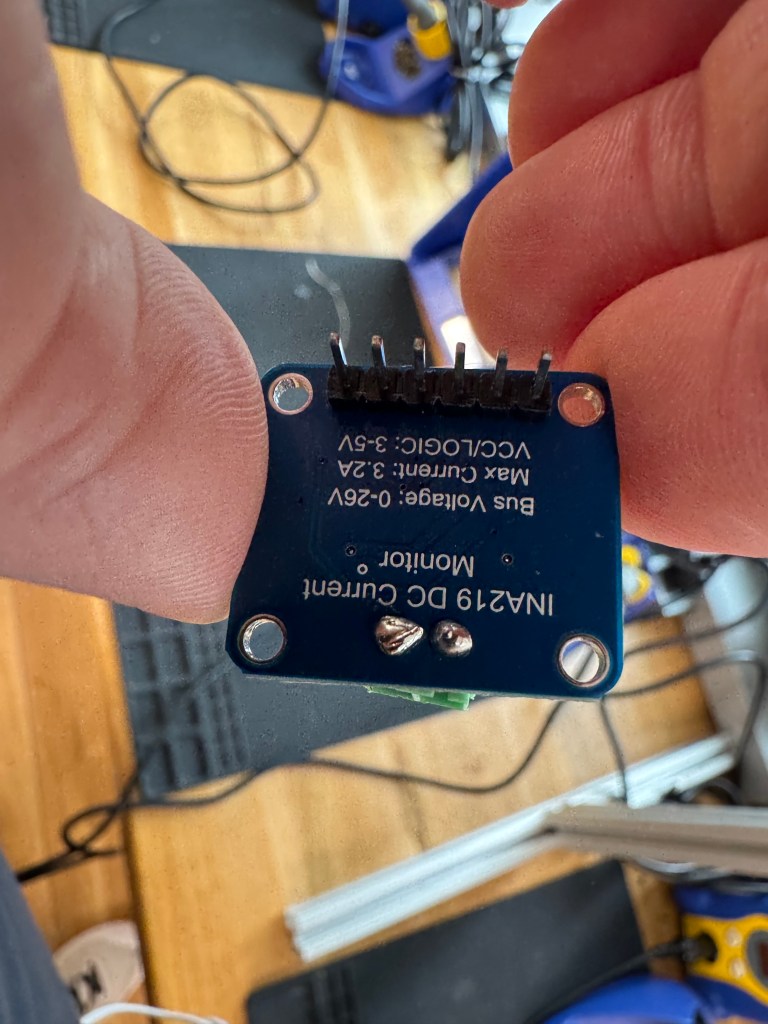
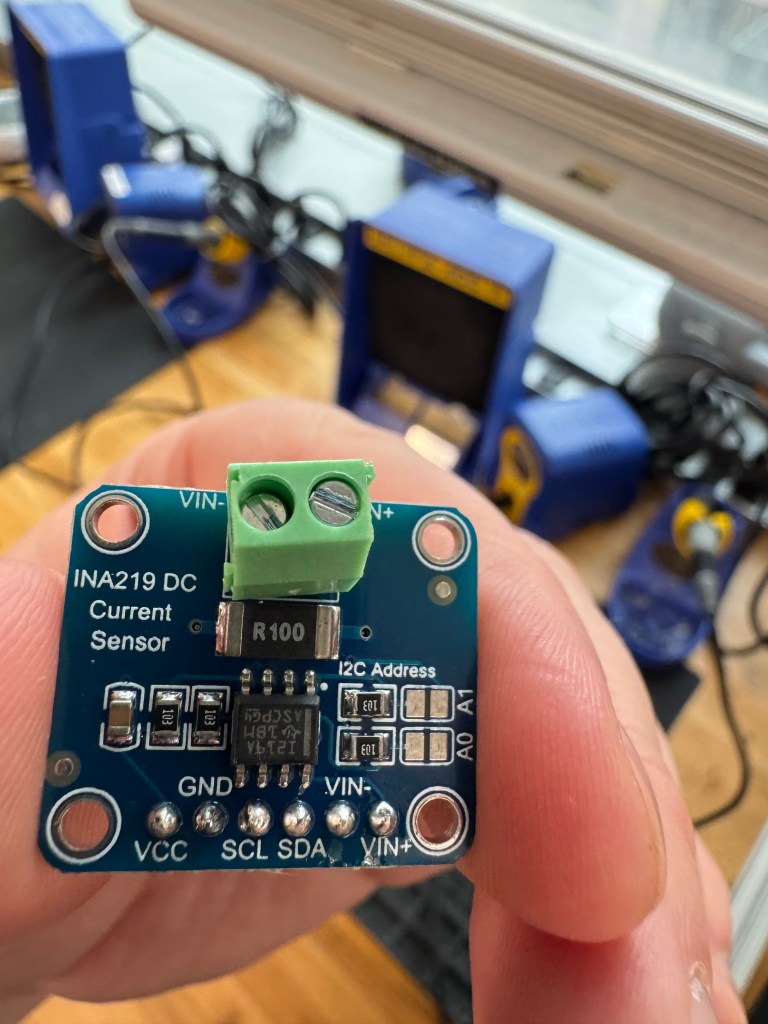
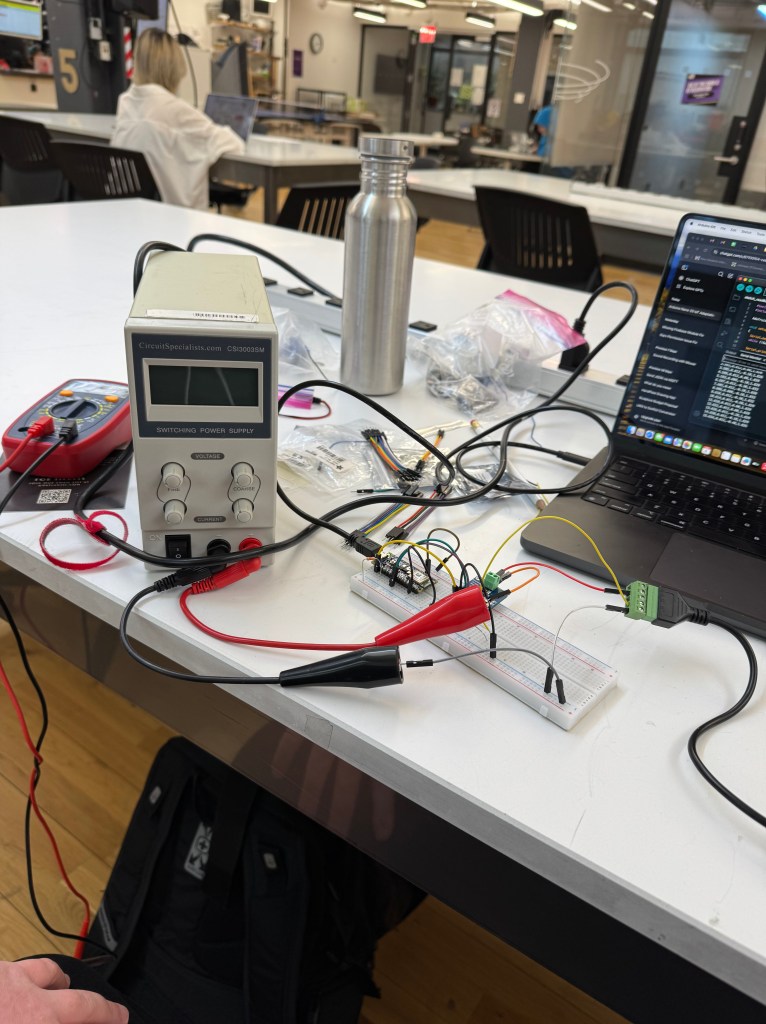
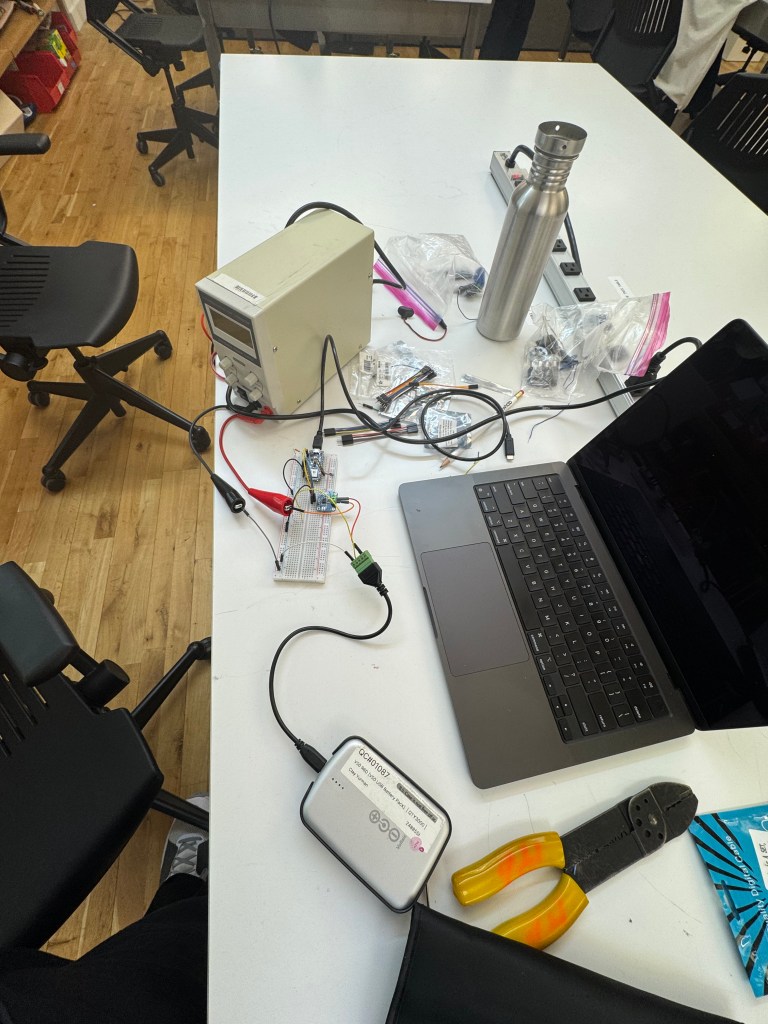
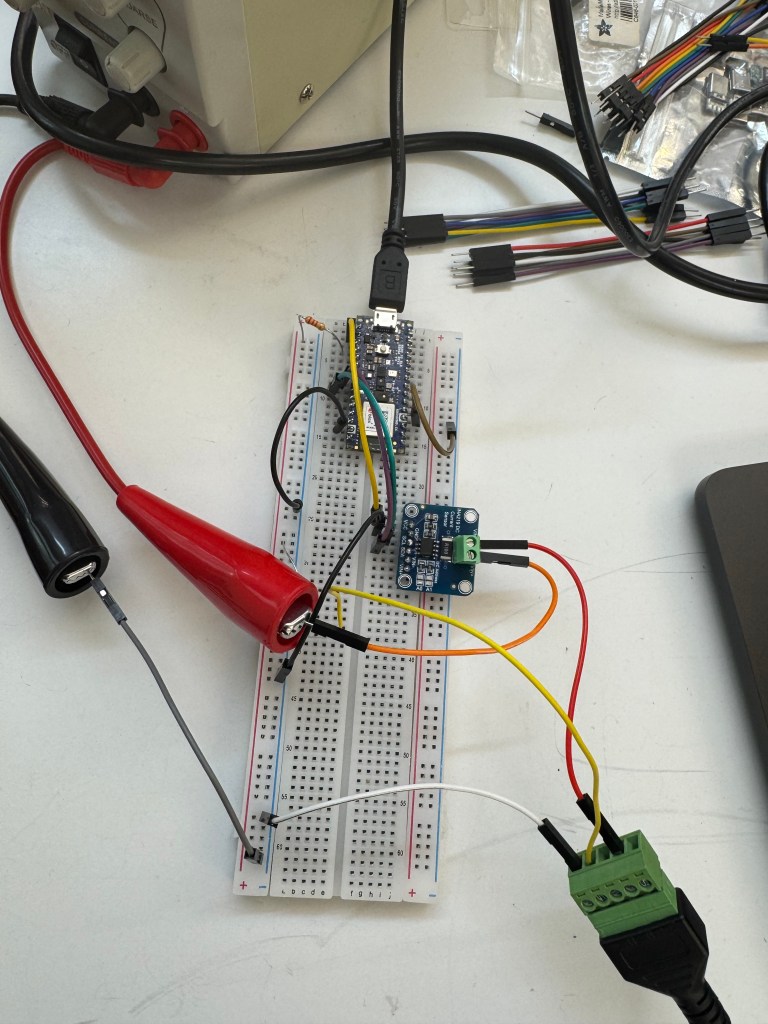
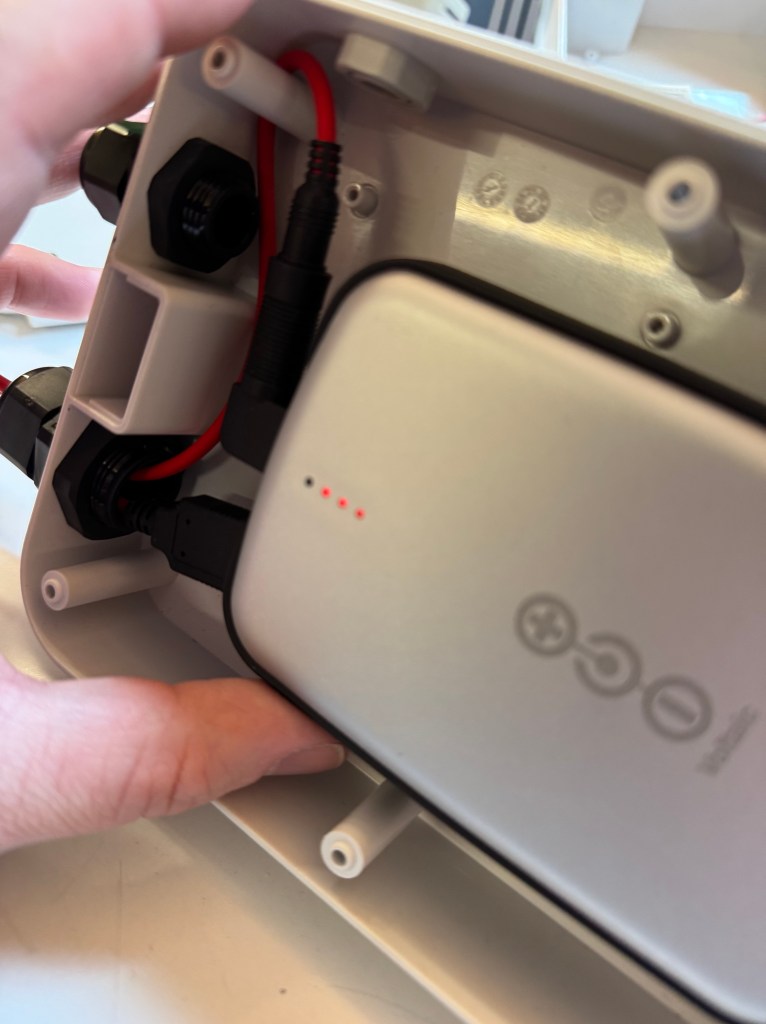
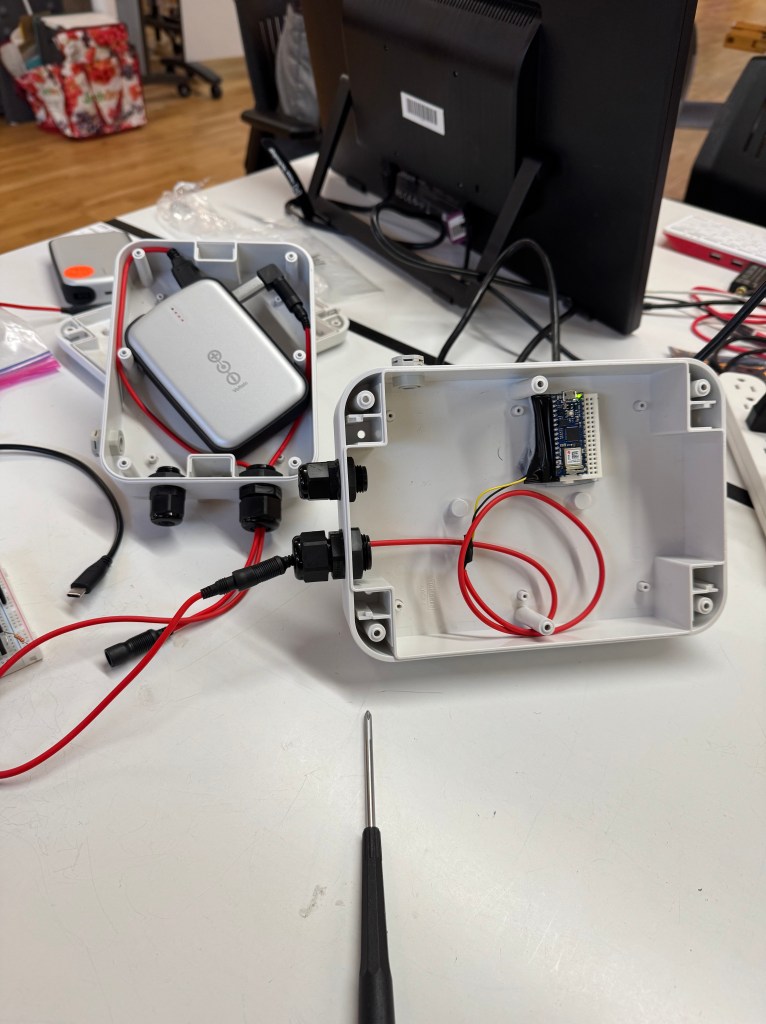
Discovered issue with Arduino timing out was not battery related but meant that we needed to pay $7 for Shiftr
Linked Google Drive to Raspberry Pi via Google Cloud Console and Pi CLI
–checked out a Pi from the shop
–followed this really helpful article about mounting google drive to a Raspberry Pi: https://medium.com/@artur.klauser/mounting-google-drive-on-raspberry-pi-dd15193d8138
–Also consulted the rclone documentation on Google Drive/Linux: https://rclone.org/drive/
–found that a Pi 5 takes 3 minutes or so to upload a 281MB .wav file to Google Drive. If that uses 3 watts at peak based on previous measurements and the battery has 48 watthours, we will need our panels hooked together to ensure the Pi works smoothly.
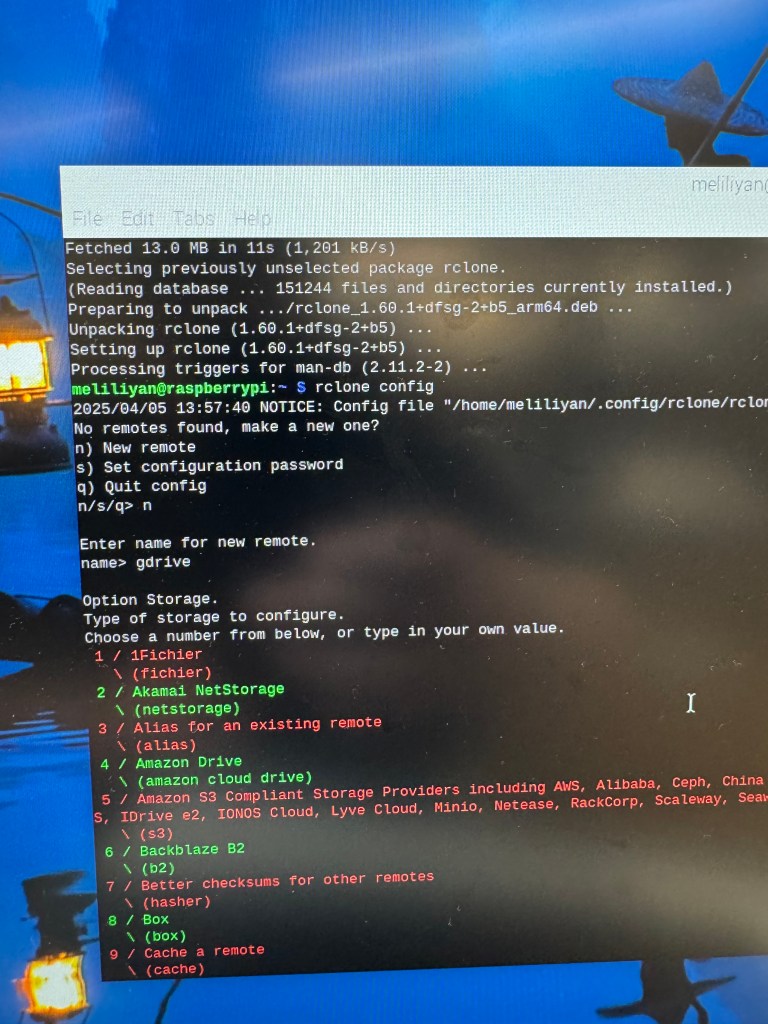
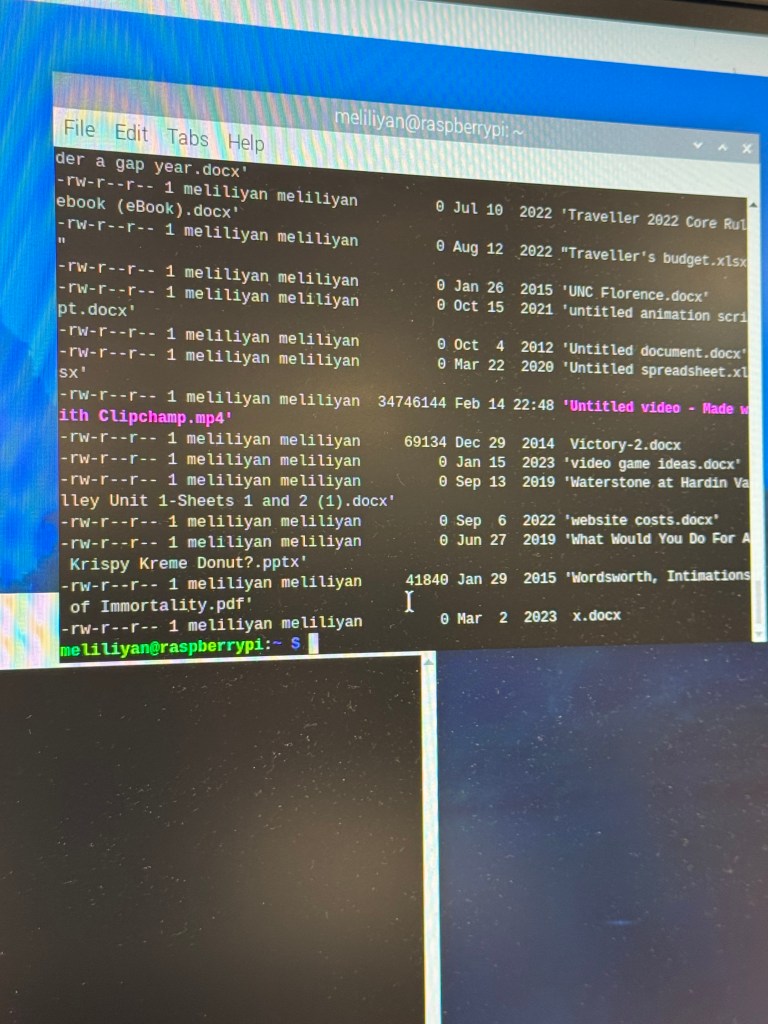
Developed and cemented code responsible for Arduino (C++) and Pi (python) to communicate with MQTT -> Serial (with aid from Claude.ai)
Arduino code:
#include <WiFiNINA.h>
#include <ArduinoMqttClient.h>
#include "arduino_secrets.h"

// MQTT setup
WiFiClient wifi;
MqttClient mqttClient(wifi);

// MQTT connection details
char broker[] = "energyctrlserver.cloud.shiftr.io";
int port = 1883;
char topic[] = "status";
String clientID = "Arduino";

// Pi communication state
bool piReady = false;

void setup() {
  pinMode(12, OUTPUT);  // For Pi power control

  // Initialize serial communications
  Serial.begin(9600);   // Debug serial
  Serial1.begin(9600);  // Serial for Pi communication

  // Wait for serial monitor to open
  if (!Serial) delay(3000);

  Serial.println("Starting...");

  // Connect to WiFi
  connectToNetwork();

  // Make the clientID unique with MAC address
  byte mac[6];
  WiFi.macAddress(mac);
  for (int i = 0; i < 3; i++) {
    clientID += String(mac[i], HEX);
  }

  // Set MQTT credentials
  mqttClient.setId(clientID);
  mqttClient.setUsernamePassword(SECRET_MQTT_USER, SECRET_MQTT_PASS);

  // Clear any data in the serial buffer
  while (Serial1.available()) {
    Serial1.read();
  }

  Serial.println("Setup complete. Waiting for Pi to become ready...");
  publishStatus("Arduino initialized. Waiting for Pi...");
}

void loop() {
  // Check WiFi connection
  if (WiFi.status() != WL_CONNECTED) {
    connectToNetwork();
    return;
  }

  // Check MQTT broker connection
  if (!mqttClient.connected()) {
    Serial.println("Attempting to connect to broker");
    connectToBroker();
  }

  // Poll for new MQTT messages
  mqttClient.poll();

  // Check for Pi messages
  checkPiMessages();

  // Process MQTT commands only if Pi is ready
  // Otherwise, we're in initialization or waiting state

  delay(10);  // Small delay to prevent busy-wait
}

void checkPiMessages() {
  if (Serial1.available() > 0) {
    String message = Serial1.readStringUntil('\n');
    message.trim();  // Remove any whitespace, CR, LF

    Serial.print("Received from Pi: [");
    Serial.print(message);
    Serial.println("]");

    // Check for Pi ready message if not already confirmed
    if (!piReady && message.indexOf("Pi ready") >= 0) {
      piReady = true;
      Serial.println("Pi is now ready for communication!");
      publishStatus("Pi is ready for communication");
    }

    // Process Pi response
    if (piReady) {
      // Report the message via MQTT
      publishStatus("Pi message: " + message);

      // Parse response for specific commands if needed
      if (message.indexOf("103_ACK") >= 0) {
        // This is a response to status request
        publishStatus("Pi status received: " + message);
      } else if (message.indexOf("104_ACK") >= 0) {
        // This is a response to shutdown command
        publishStatus("Pi shutdown acknowledged: " + message);
      }
    }
  }
}

void publishStatus(String message) {
  if (mqttClient.connected()) {
    mqttClient.beginMessage(topic);
    mqttClient.print(message);
    mqttClient.endMessage();
    Serial.println("Published: " + message);
  }
}

void connectToNetwork() {
  Serial.println("Connecting to WiFi...");
  while (WiFi.status() != WL_CONNECTED) {
    Serial.println("Attempting to connect to: " + String(SECRET_SSID));
    WiFi.begin(SECRET_SSID, SECRET_PASS);
    delay(5000);
  }

  Serial.print("Connected. IP address: ");
  Serial.println(WiFi.localIP());
  digitalWrite(LED_BUILTIN, HIGH);
}

boolean connectToBroker() {
  if (!mqttClient.connect(broker, port)) {
    Serial.print("MQTT connection failed. Error: ");
    Serial.println(mqttClient.connectError());
    return false;
  }

  mqttClient.onMessage(onMqttMessage);
  Serial.print("Subscribing to topic: ");
  Serial.println(topic);
  mqttClient.subscribe(topic);

  // Send connection status
  publishStatus("Arduino connected to MQTT");

  return true;
}

void onMqttMessage(int messageSize) {
  // Read the message
  String incoming = "";
  while (mqttClient.available()) {
    incoming += (char)mqttClient.read();
  }

  Serial.print("MQTT received: ");
  Serial.println(incoming);

   // Only process numeric codes
    int code = incoming.toInt();

    if (code == 101) {
      reply101();
    }
    if (code == 102) {
      turnonpi();
    }

  // Process commands only if Pi is ready
  if (piReady) {

    if (code == 103) {
      statuspi();
    }
    else if (code == 104) {
      shutdownpi();
    }
    else if (code > 0) {
      // Forward code to Pi
      sendToPi(incoming);
    }
  }
  //else {
  //   // Pi not ready yet
  //   publishStatus("Cannot process command, Pi not ready");
  // }
}

void reply101() {
  publishStatus("301");
  Serial.println("Status reported: 301");
}

void turnonpi() {
  Serial.println("Turning on Pi");
  digitalWrite(12, HIGH);
  publishStatus("Pi Booting");

  // Reset Pi ready flag - we'll wait for new ready signal
  piReady = false;
}

void statuspi() {
  Serial.println("Requesting Pi status");
  sendToPi("103");
}

void shutdownpi() {
  Serial.println("Sending shutdown command to Pi");
  sendToPi("104");

  // Reset Pi ready flag since it's shutting down
  piReady = false;
  publishStatus("Pi shutting down, communication disabled");
}

void sendToPi(String command) {
  // Only send if Pi is ready
  if (piReady) {
    Serial.print("Sending to Pi: ");
    Serial.println(command);

    // Add newline as command terminator
    Serial1.print(command);
    Serial1.print('\n');
    Serial1.flush();  // Ensure transmission completes

    publishStatus("Command sent to Pi: " + command);
  } else {
    Serial.println("Cannot send command, Pi not ready");
    publishStatus("Command failed, Pi not ready");
  }
}
Pi Code:
#!/usr/bin/env python3
import serial
import time
import subprocess
import logging
import os
import signal
import sys

# Configure logging
logging.basicConfig(
    level=logging.INFO,
    format='%(asctime)s - %(levelname)s - %(message)s',
    handlers=[
        logging.FileHandler("/home/pi/serial_handler.log"),
        logging.StreamHandler()
    ]
)

# Serial port configuration
SERIAL_PORT = '/dev/serial0'  # Hardware UART on Pi
BAUD_RATE = 9600

# Command dictionary - maps codes to terminal commands and responses
COMMANDS = {
    "103": {
        "command": "uptime", # Get system uptime
        "response": "103_ACK",
        "params_required": 0
    },
    "104": {
        "command": "sudo shutdown -h now",
        "response": "104_ACK",
        "params_required": 0
    },
    # Add more commands as needed
}

def execute_command(cmd):
    """Execute a shell command and return the output"""
    try:
        # Special handling for shutdown command
        if "shutdown" in cmd:
            logging.info(f"Executing shutdown command: {cmd}")
            # Return immediately for shutdown command
            subprocess.Popen(cmd, shell=True)
            return "Shutdown initiated"

        # Normal command execution
        result = subprocess.check_output(cmd, shell=True, text=True, timeout=5)
        logging.info(f"Command executed: {cmd}")
        return result.strip()
    except subprocess.TimeoutExpired:
        return "Command timed out"
    except subprocess.CalledProcessError as e:
        logging.error(f"Command failed: {e}")
        return f"Error: {e}"

def signal_handler(sig, frame):
    """Handle SIGTERM and SIGINT for clean shutdown"""
    logging.info("Shutdown signal received, exiting...")
    if 'ser' in globals() and ser.is_open:
        ser.close()
    sys.exit(0)

def main():
    global ser

    # Set up signal handlers for clean shutdown
    signal.signal(signal.SIGTERM, signal_handler)
    signal.signal(signal.SIGINT, signal_handler)

    try:
        # Open serial connection with explicit settings
        ser = serial.Serial(
            port=SERIAL_PORT,
            baudrate=BAUD_RATE,
            bytesize=serial.EIGHTBITS,
            parity=serial.PARITY_NONE,
            stopbits=serial.STOPBITS_ONE,
            timeout=1
        )

        logging.info(f"Serial connection opened on {SERIAL_PORT} at {BAUD_RATE} baud")

        # Clear any initial data
        ser.reset_input_buffer()
        ser.reset_output_buffer()

        # Send ready signal to Arduino
        time.sleep(2)  # Short delay to ensure things are settled
        ready_message = "Pi ready\n"
        ser.write(ready_message.encode('ascii'))
        logging.info("Sent ready signal to Arduino")

        # Buffer to store incoming data
        buffer = ""

        while True:
            # Read data if available
            if ser.in_waiting > 0:
                try:
                    # Read a line (until newline character)
                    line = ser.readline().decode('ascii', errors='replace').strip()

                    if line:  # Only process non-empty lines
                        logging.info(f"Received command: {line}")

                        # Process the command
                        if line in COMMANDS:
                            cmd_info = COMMANDS[line]
                            cmd_output = execute_command(cmd_info["command"])

                            # Send response
                            response = f"{cmd_info['response']}:{cmd_output[:50]}\n"
                            ser.write(response.encode('ascii'))
                            logging.info(f"Sent response: {response.strip()}")
                        else:
                            # Unknown command
                            ser.write(f"UNKNOWN_CODE:{line}\n".encode('ascii'))
                            logging.warning(f"Unknown command received: {line}")

                except Exception as e:
                    logging.error(f"Error processing command: {e}")

            # Small delay to prevent CPU hogging
            time.sleep(0.1)

    except KeyboardInterrupt:
        logging.info("Program terminated by user")
    except Exception as e:
        logging.error(f"Error: {e}")
    finally:
        if 'ser' in locals() and ser.is_open:
            ser.close()
            logging.info("Serial connection closed")

if __name__ == "__main__":
    main()
Developed python script for Pi to run on startup
.Sh Code:
#!/bin/bash

# Define file path and content
FILE_PATH="/home/meliliyan/Desktop/test_file.txt"
FILE_CONTENT="test hello"
GDRIVE_PATH="gdrive:'nyu classes'" # Assuming gdrive is the name of your rclone remote
LOG_FILE="/home/meliliyan/Desktop/startup_log.txt"

#Create log function
log() {
   echo "$(date): $1" >> "$LOG_FILE"
}

log "Starting startup script execution"


# Step 1: Create a file and write "test" to it
echo "$FILE_CONTENT" > "$FILE_PATH"
log "Created file $FILE_PATH with content '$FILE_CONTENT'"

# Step 2: File is automatically saved when written
log "File saved"

# Step 3: Wait a bit to ensure network is up
log "Waiting 30 seconds for network to be fully ready"
sleep 30
log "Proceeding with rclone copy"

# add full path to rclone to ensure
export PATH=$PATH:/usr/bin:/usr/local/bin
log "PATH set to: $PATH"

CONFIG_FILE="/home/meliliyan/.config/rclone/rclone.conf"
log "Using rclone config: $CONFIG_FILE"

# send file to google drive with error handling
log "Attempting to copy file to Google Drive"

sudo -u meliliyan /usr/bin/rclone copy "$FILE_PATH" "$GDRIVE_PATH" --config="$CONFIG_FILE" --verbose >> "$LOG_FILE" 2>&1
RCLONE_EXIT_CODE=$?

if [ $RCLONE_EXIT_CODE -eq 0 ]; then
	log "rclone copy succeeded with exit code: $RCLONE_EXIT_CODE"
else
	log "rclone copy failed with exit code: $RCLONE_EXIT_CODE"

	#diagnostic info
	log "rclone version info"
	/usr/bin/rclone version >> "$LOG_FILE" 2>&1

	log "Network status:"
	ping -c 4 8.8.8.8 >> "$LOG_FILE" 2>&1

	log "Remotes configured:"
	sudo -u meliliyan /usr/bin/rclone --config="$CONFIG_FILE" listremotes >> "$LOG_FILE" 2>&1
fi


# Step 4: Shutdown the Pi
if [ $RCLONE_EXIT_CODE -eq 0 ]; then
	log "all done. shutting down system"
	#/sbin/shutdown -h now
else
	log "Not shutting down to rclone failure"
fi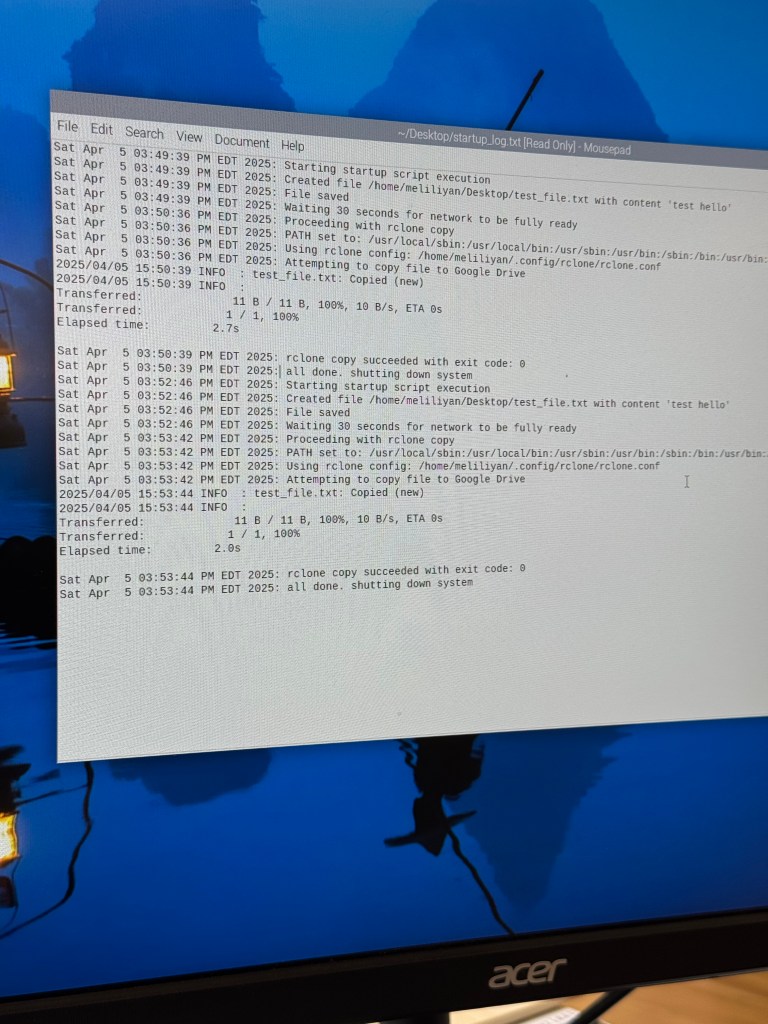
Figured out how to wire two solar panels in parallel together
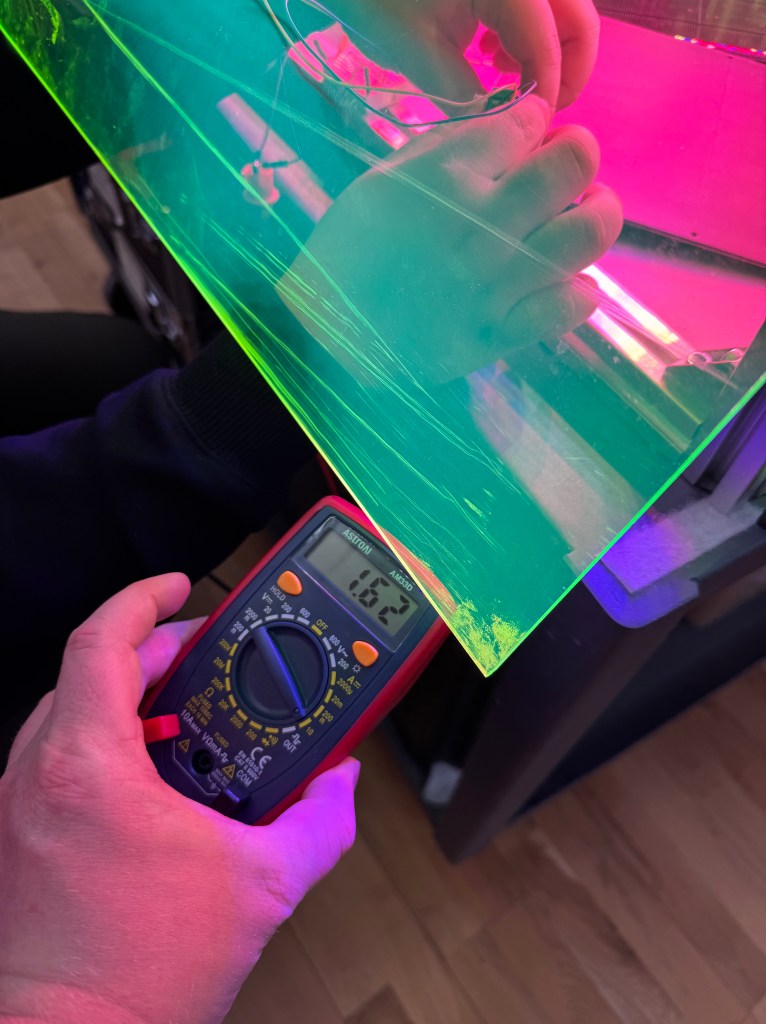
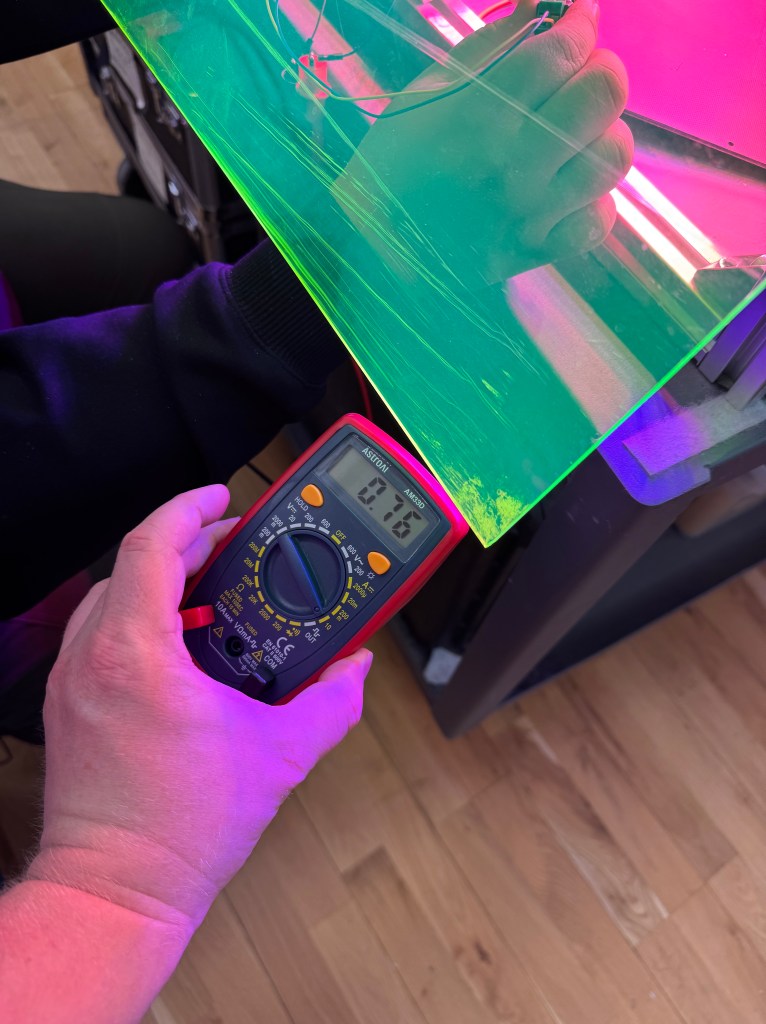
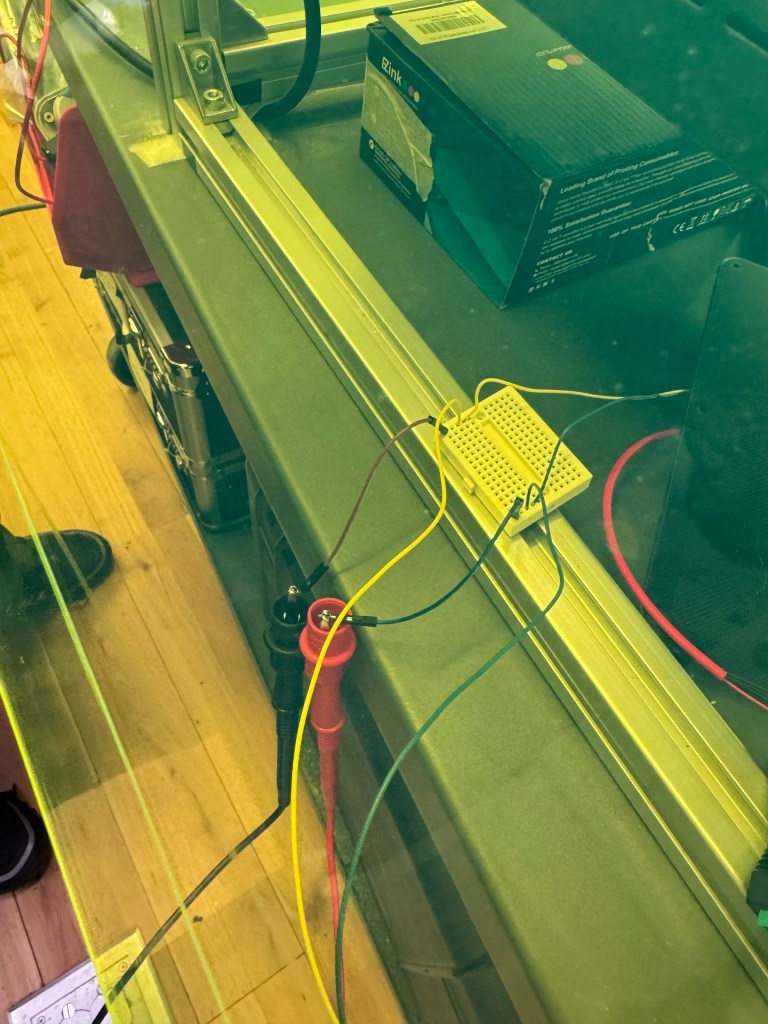
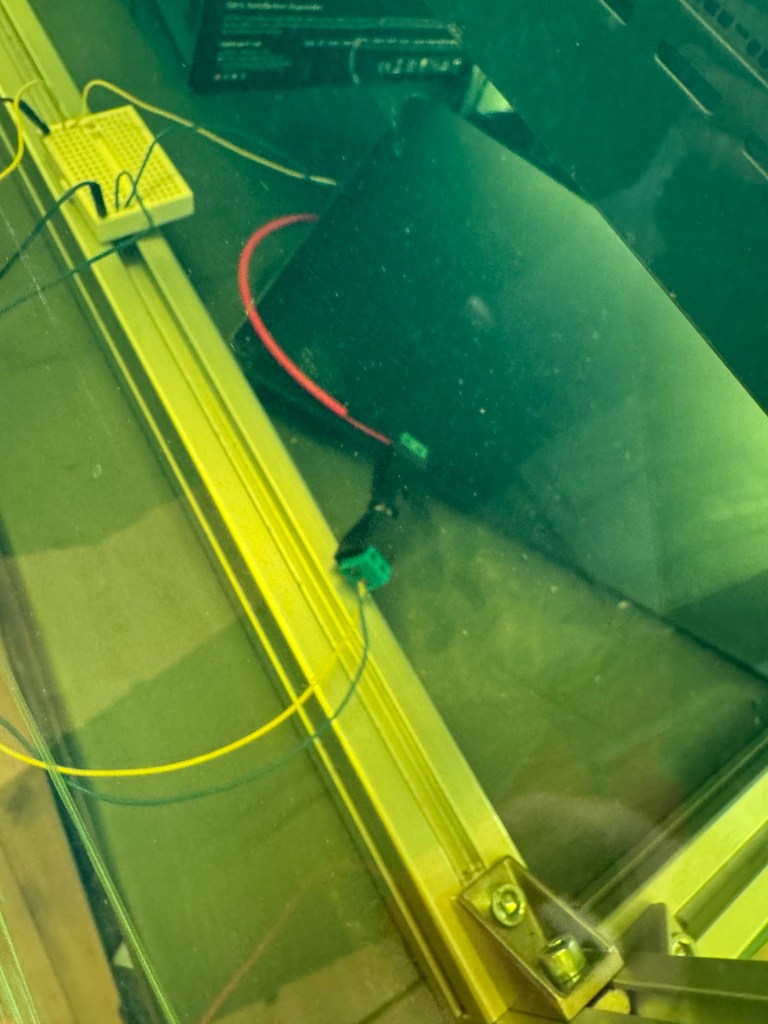
Voltage of above: 6.76 Volts
Discussed website design/experience
–do we give users ability to request radio frequencies and images?
–Or just radio frequencies?
–What does the data pipeline look like?
–Potential pivot to SSTV interaction
–a cool example of SSTV encoding/decoding: https://open-weather.community/decode/
Ordered parts for antenna after revising design
Next Steps
- Build antenna and install
- Install solar panels wired together with battery and voltage reader
- Install pi with scripts and google drive link installed
- Integrate working cycle of MQTT request -> Arduino -> Pi -> SDR -> Google Drive upload
- Flesh out website design and start building with ready data
Also, I will need research and develop my presentation for next week’s class!
 Ryan Rotella
Leave a comment